

 Go to console

 Change theme


 Edit Account
 Logout
Using AI
In this section I'll implement the temperature sensor code using an AI agent instead of writing it by hand.
Creating an AI project
Use Particle: Create New Project and create TemperatureSensor2. Be sure to enable AI Agent support when prompted.

Use Particle: Configure project for device to select the device.
I used Claude Code to generate the code, but it works similarly with ChatGPT Codex and other code generators.
This is the prompt I used:
Create Particle firmware using the instructions in this directory.
The firmware should use a SHT31 temperature sensor connected by I2C. Find a library to implement this.
Every 15 minutes while cloud connected the firmware should query the sensor for temperature and humidity. Publish the value using Particle.publish with the event name temperatureSensorTest. The value should be formatted in JSON with the keys "temp" and "humidity".
This was Claude's response:
I wrote the firmware in src/TemperatureSensor2.cpp. It compiles for msom, but I haven’t flashed or run it on a device.
- Library: I used adafruit-sht31 0.0.7, installed into lib/ and listed in project.properties. It reads the sensor at the default I2C address 0x44.
- Publishing: Once the device is cloud connected, it publishes temperatureSensorTest right away, then every 15 minutes. The payload is JSON like {"temp":22.50, "humidity":45.10}.
- Failures: If the sensor isn’t found or a read fails, it logs an error and skips that publish. If the sensor wasn’t found at startup, it retries initialization on the next publish.
- Platform: .vscode/settings.json has no particle.targetPlatform, so I compiled for msom as the project instructions say. If your device is a different platform, recompile for that one.
- Build output: particle compile left a firmware.bin in the project root.
It generated this code. It selected a different library, but this is fine.
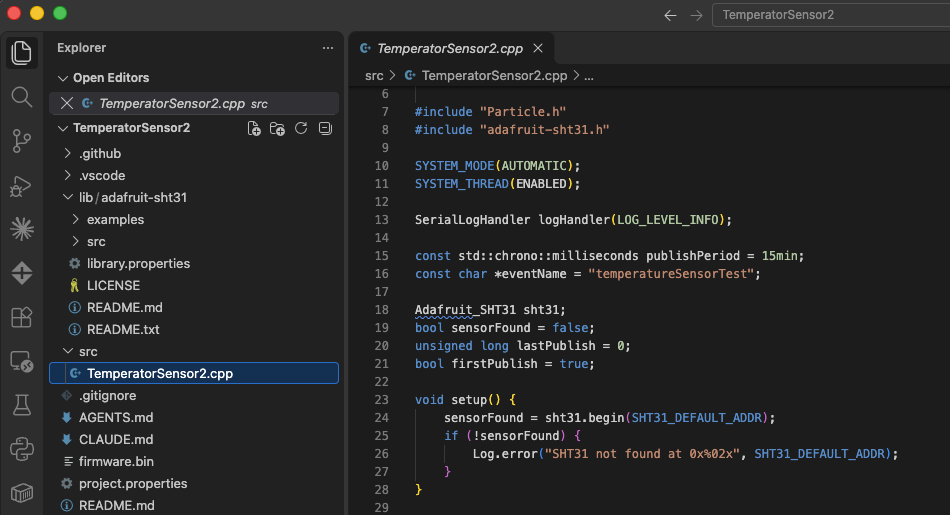
The code
Here's the full .cpp code. It's a little different, but it is fully functional.
/*
 * SHT31 temperature/humidity sensor (I2C) publisher.
 * Every 15 minutes while cloud connected, publishes "temperatureSensorTest"
 * with JSON like {"temp":22.50,"humidity":45.10}.
 */

#include "Particle.h"
#include "adafruit-sht31.h"

SYSTEM_MODE(AUTOMATIC);
SYSTEM_THREAD(ENABLED);

SerialLogHandler logHandler(LOG_LEVEL_INFO);

const std::chrono::milliseconds publishPeriod = 15min;
const char *eventName = "temperatureSensorTest";

Adafruit_SHT31 sht31;
bool sensorFound = false;
unsigned long lastPublish = 0;
bool firstPublish = true;

void setup() {
    sensorFound = sht31.begin(SHT31_DEFAULT_ADDR);
    if (!sensorFound) {
        Log.error("SHT31 not found at 0x%02x", SHT31_DEFAULT_ADDR);
    }
}

void loop() {
    if (!Particle.connected()) {
        return;
    }

    // Publish as soon as we connect the first time, then every 15 minutes
    if (!firstPublish && (millis() - lastPublish) < publishPeriod.count()) {
        return;
    }
    firstPublish = false;
    lastPublish = millis();

    if (!sensorFound) {
        // Retry initialization in case the sensor was connected late
        sensorFound = sht31.begin(SHT31_DEFAULT_ADDR);
        if (!sensorFound) {
            Log.error("SHT31 still not found");
            return;
        }
    }

    float temp = sht31.readTemperature();
    float humidity = sht31.readHumidity();

    if (isnan(temp) || isnan(humidity)) {
        Log.error("SHT31 read failed");
        return;
    }

    char buf[64];
    snprintf(buf, sizeof(buf), "{\"temp\":%.2f,\"humidity\":%.2f}", temp, humidity);
    Log.info("publishing %s", buf);
    Particle.publish(eventName, buf);
}
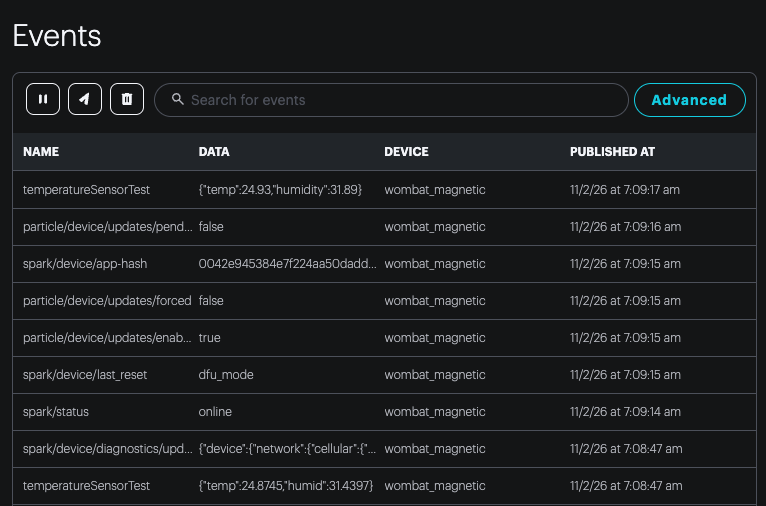
Events in the console
The events aren't actually the same, because I mis-typed the prompt for the humidity key name to be "humidity" instead of "humid" and the AI agent code limits the numbers to 2 decimal places, but it runs.