


 Go to console

 Change theme


 Edit Account
 Logout
Electron setup
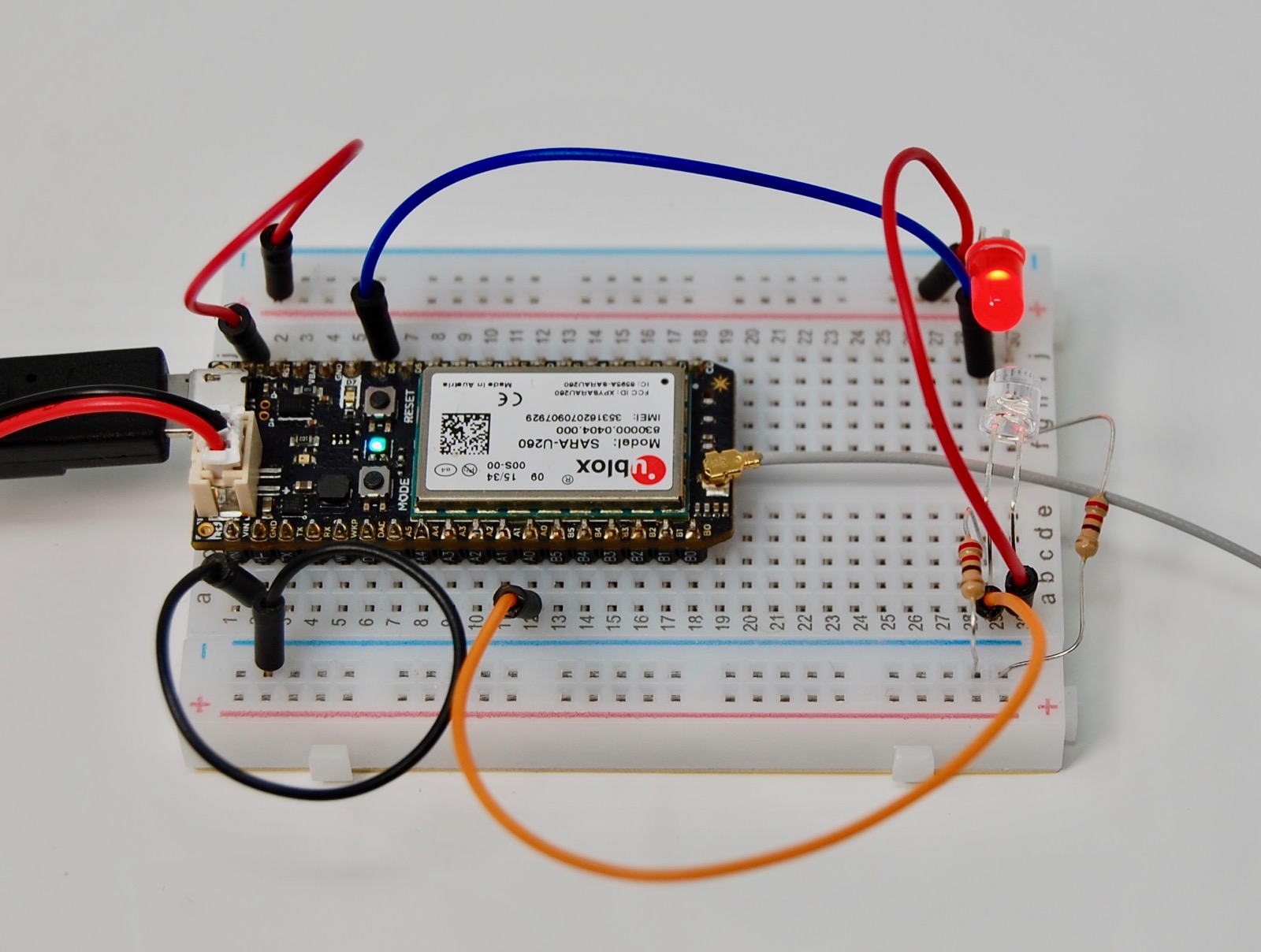
This page walks you through unboxing and setting up an Electron, a cellular development board.
The Electron has been deprecated. See the Supply Secure FAQ for more information.
Sunset warning
A number of countries have discontinued 2G and/or 3G cellular service, including the United States, Canada, and Australia. If both have been sunset or discontinued in your area, most Electron devices will not be able to connect.
View country details for your country and Electron model to determine compatibility.
See 2G/3G sunset for more information about 2G/3G sunset.
Electron models
| SKU | Description | Region | Modem | EtherSIM | Lifecycle | Replacement |
|---|---|---|---|---|---|---|
| ASSET2GV2 | Asset Tracker 2G | Global | G350 | Deprecated | ||
| ASSET3G260V2 | Asset Tracker 3G (Americas/Aus) | Americas | U260 | Deprecated | ||
| ASSET3G270V2 | Asset Tracker 3G (Eur/Asia/Afr) | EMEAA | U270 | Deprecated | ||
| E260KIT | Electron 2G/3G (Americas/Aus) Starter Kit, [x1] | Americas | U260 | Deprecated | BRN404XKIT | |
| E260TRAY50 | Electron 2G/3G (Americas/Aus), Tray [x50] | Americas | U260 | Deprecated | BRN404XTRAY50 | |
| E270KIT | Electron 2G/3G (EMEA) Starter Kit, [x1] | EMEAA | U270 | Deprecated | B524MEA | |
| E270TRAY50 | Electron 2G/3G (EMEA), Tray [x50] | EMEAA | U270 | Deprecated | B524MTY | |
| E350KIT | Electron 2G Kit (Global) | Global | G350 | Deprecated | B524MEA | |
| E350TRAY50 | Electron 2G (Global), Tray [x50] | Global | G350 | Deprecated | B524MTY | |
| ELC314TY | Electron 2G/3G (Global - U201) , Tray [x50] | Global | U201 | ✓ | Deprecated | |
| ELC402EA | Electron LTE CAT-M1 (NorAm), [x1] | NORAM | R410 | Deprecated | BRN404XKIT | |
| ELC402TY | Electron LTE CAT-M1 (NorAm), Tray [x50] | NORAM | R410 | Deprecated | BRN404XTRAY50 | |
| ELC404TY | Electron LTE CAT-M1 (NorAm, EtherSIM), Tray [x50] | NORAM | R410 | ✓ | Deprecated | |
| SNSRKIT3G260 | Electron 3G (Americas/Aus) Sensor Kit, [x1] | Americas | U260 | Deprecated | ||
| SNSRKIT3G270 | Electron 3G (Eur/Asia/Afr) Sensor Kit, [x1] | EMEAA | U270 | Deprecated |
Unboxing
Electron models other than the ELC402 and ELC404 include a 4FF plastic nano SIM card. This is required for operation with these Electron models.
With the Electron LTE (ELC402 and ELC404), and all other Particle devices such as the Boron, there is a built-in MFF2 SMD SIM and a plastic SIM card is no longer required.
What you'll need
- An Electron
- The cellular antenna. It is required and must be attached before you power the device.
- A micro-USB cable for power and data
- A computer (Windows, Mac, or Linux), which you'll use to set up the device and to program it with Particle Workbench
- A Li-Po battery (for models other than the Electron LTE ELC402 and ELC404)
Prepare the hardware
- Connect the cellular antenna to the u.FL connector on the Electron.
- Insert the SIM card in the slot on the bottom of the Electron (for models other than the Electron LTE ELC402 and ELC404).
- Connect the Li-Po battery.
- Connect the micro-USB cable between the Electron and your computer. This provides both power and a data connection.
Add to your account
To add the device to your account and make sure it's running the latest Device OS, go to setup.particle.io. The guided setup will:
- Sign you in, or create a Particle account if you do not have one yet
- Activate the SIM card
- Update the Device OS if necessary
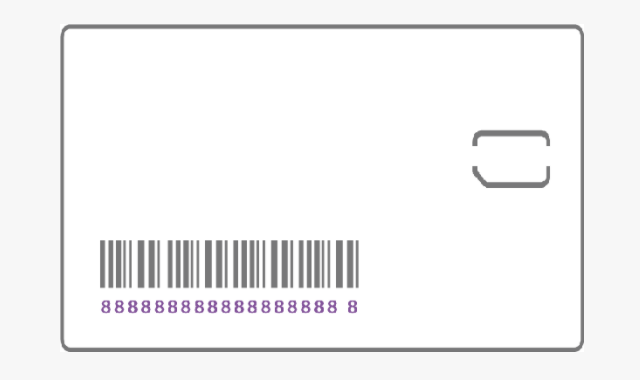
In order to activate an Electron with a 4FF plastic SIM card, you will also need the SIM ICCID, a 19 or 20 digit number beginning with 89. It's easiest to read this off the larger plastic card that the nano SIM is removed from.
Next steps
Once setup is complete, continue with the getting started guide to explore the Particle console and program your device.